
You know how the same Steam game costs dramatically less in some countries than others? Software pricing works the same way. Many developers adjust their prices for different regions, and China happens to be one of the markets where licenses are significantly cheaper.
That’s where DIGITALYCHEE comes in.
What Is DIGITALYCHEE?
DIGITALYCHEE (数码荔枝 in Chinese) is a legitimate software reseller based in China. They partner directly with software developers — sometimes as the exclusive distributor for the Chinese market — to sell genuine licenses at prices that can be 50 to 80 percent below the official list price.
The concept is simple: software companies set lower prices for the Chinese market, adjusted for local purchasing power, and DIGITALYCHEE makes those licenses available. If you live outside China, you can still buy from them and take advantage of the regional pricing difference.
Is DIGITALYCHEE Safe?
Short answer: yes.
DIGITALYCHEE signs official agency agreements with software developers, and in some cases serves as the exclusive distributor for China. These aren’t just claims on their own website — several developers publicly list DIGITALYCHEE as an authorized reseller on their own official domains:
Plenty of other software on the store has similar arrangements; these three just happen to be the ones I’ve personally verified.
One thing to note: a small number of products — notably Windows and Microsoft 365 — are region-locked and can only be activated within mainland China. These are clearly marked on the product page. Everything else I’ve purchased has been region-free, with no issues activating or using the software outside China.
The Deals
DIGITALYCHEE’s pricing works in two layers: the base price is already lower than the official list price, and then you can stack a promo code on top.
Price Comparison
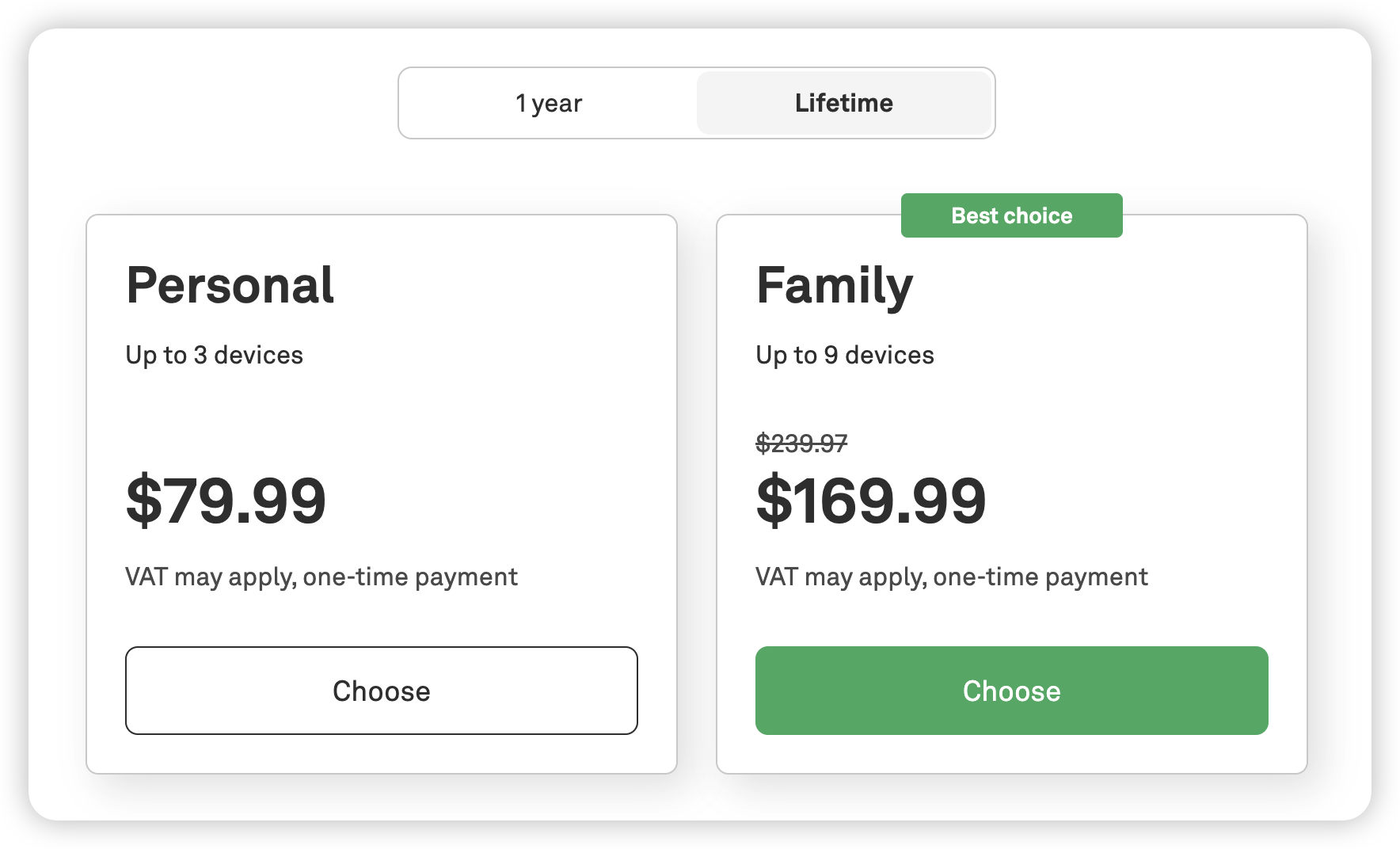
Let me use AdGuard as a concrete example. A personal lifetime license for 3 devices has a list price of $79.99.
On DIGITALYCHEE, the same license is available for roughly $18.68 when paying via Stripe (which converts the CNY price to USD at checkout). Apply the promo code PCALL, and it drops further to about $17.75.
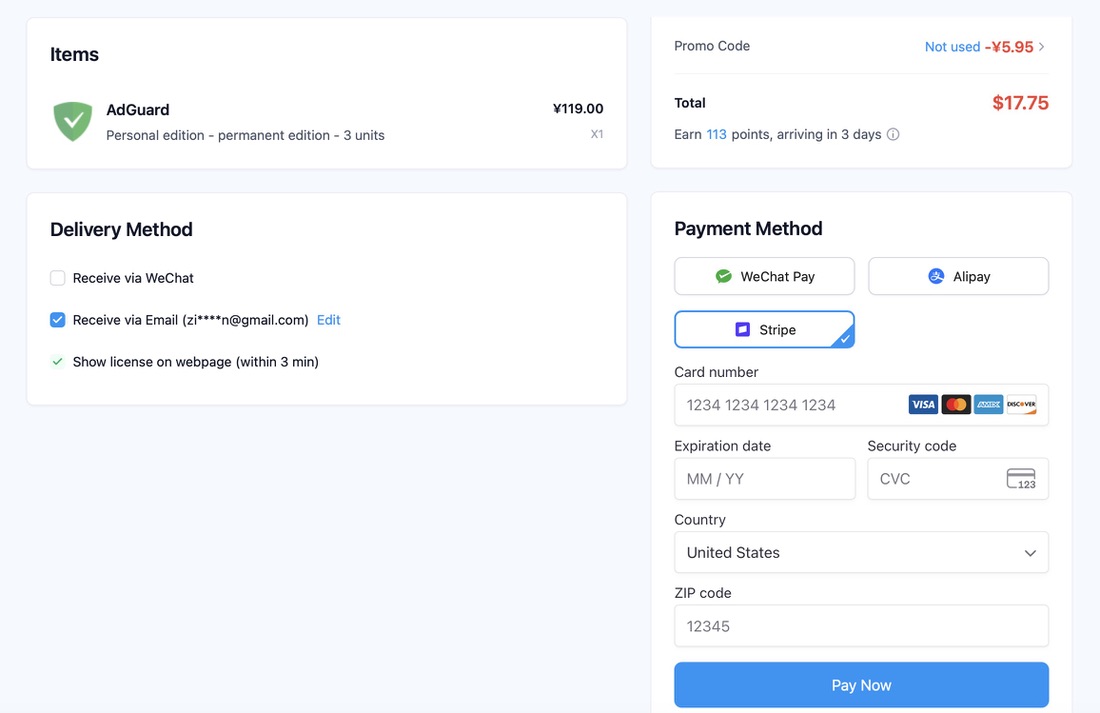
That is nearly 80 percent off the official price — for the exact same product, the exact same license, activated the exact same way.
Sales and the PCALL Promo Code
DIGITALYCHEE runs regular promotions tied to Chinese shopping holidays. The biggest ones are 618 (June 18) and Double 11 (November 11) — think of them as China’s Black Friday. There is also a rotating set of monthly time-limited deals.
On top of any sale price, you can use the promo code PCALL for an additional 5 percent off. It is a global code with no minimum spend, no product restrictions, and it stacks with ongoing promotions. I will show you exactly where to enter it in the checkout section below.
How to Use DIGITALYCHEE: A Step-by-Step Guide
DIGITALYCHEE is primarily designed for Chinese users. Even after switching the interface to English, some quirks remain — product pages still display prices in CNY, for instance. Here is a full walkthrough.
Step 1: Switch to English and Register
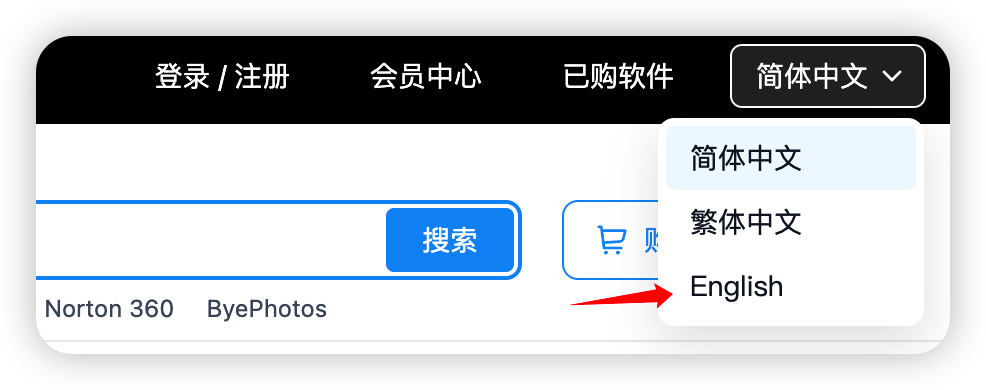
Go to DIGITALYCHEE shop. In the top-right corner, click the language dropdown and select English.
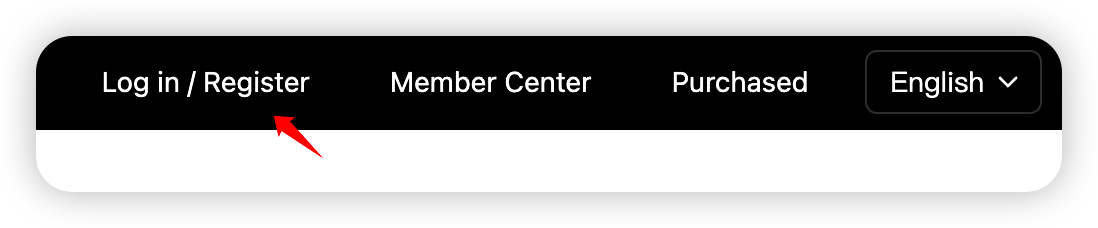
Next, click Log in / Register in the top navigation bar.
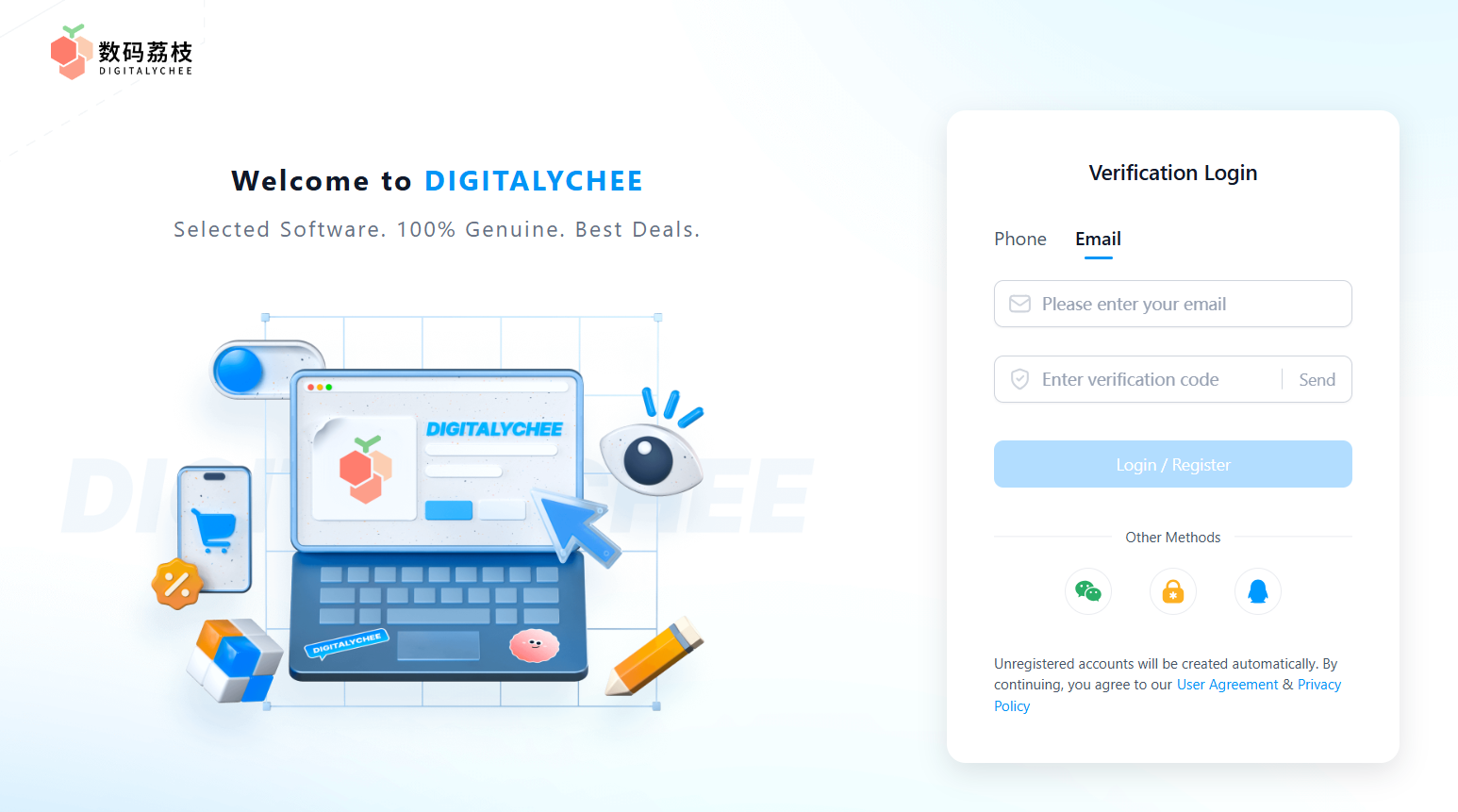
DIGITALYCHEE only supports Chinese phone numbers for SMS registration, so switch to the Email tab instead. Enter your email address and click Send to receive a verification code.
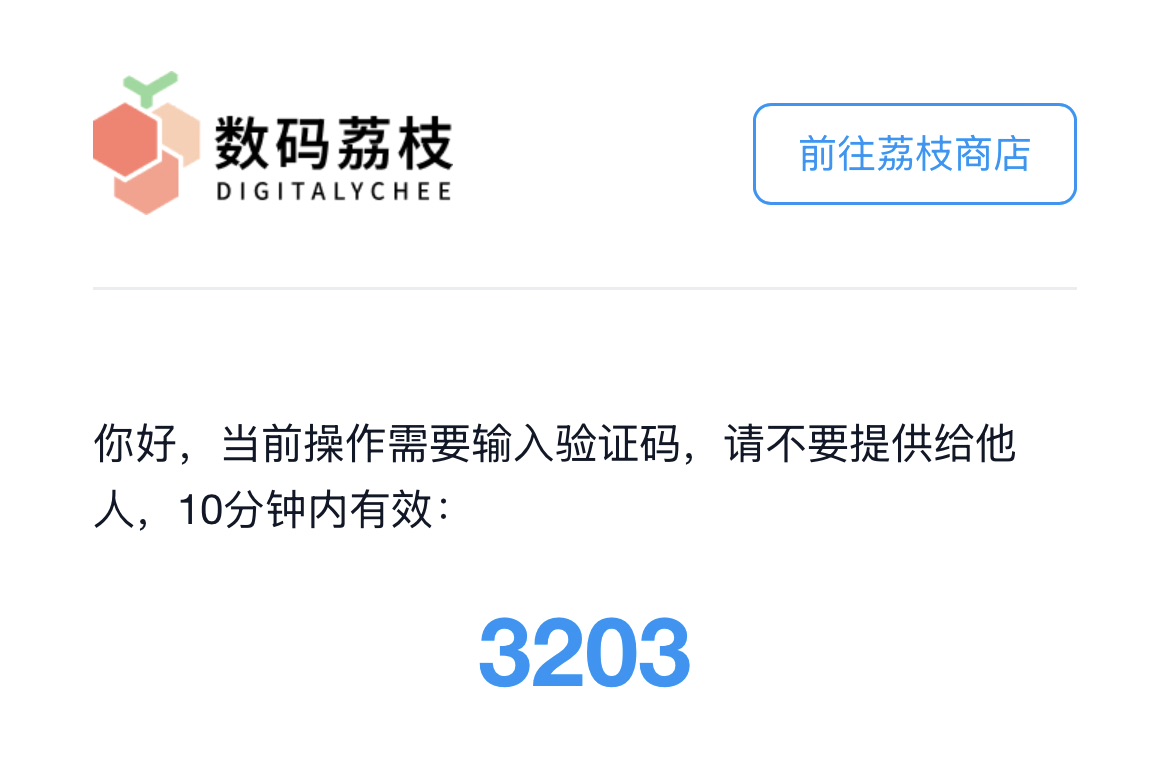
The verification email will be in Chinese, but the 4-digit code is easy to spot. Enter it, and your account is created and logged in automatically — no password to set up, no additional steps.
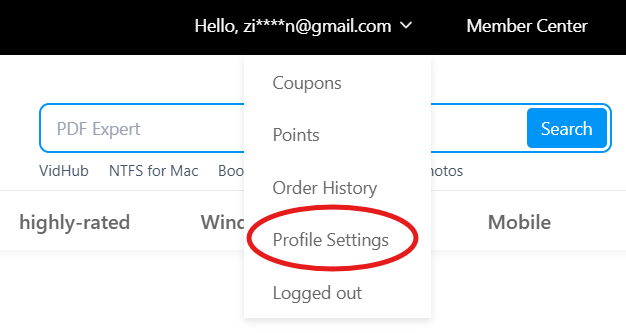
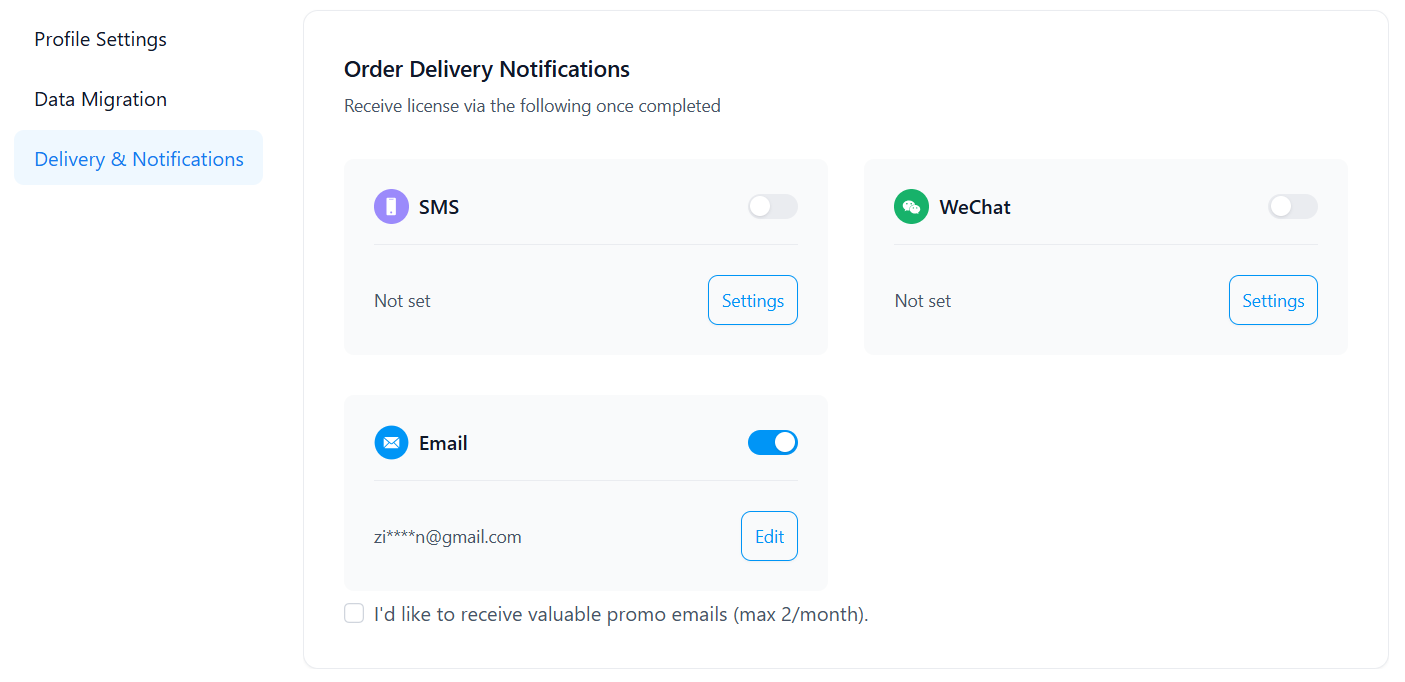
One tip: once you are logged in, click your username in the top navigation bar, go to Profile Settings, then Delivery & Notifications in the left sidebar, and turn on the Email toggle. This ensures you will receive order confirmations and license keys via email.
Step 2: Find Your Software
Back on the homepage, you can browse by category or search directly by product name in the search bar.
On each product page, take a moment to read through the description. It typically includes:
- Version comparison — 1-year vs. lifetime, personal vs. family
- Full specification table — supported platforms, device count, language options
- Special notes — for example, “Windows 10/11 sold in this store only support use within China”
- Use cases — who the software is for
- Activation instructions — how to redeem your license
The price will still be displayed in CNY (¥). You can use an online currency converter to estimate the cost in your own currency — or simply wait until the Stripe checkout, where the conversion happens automatically.
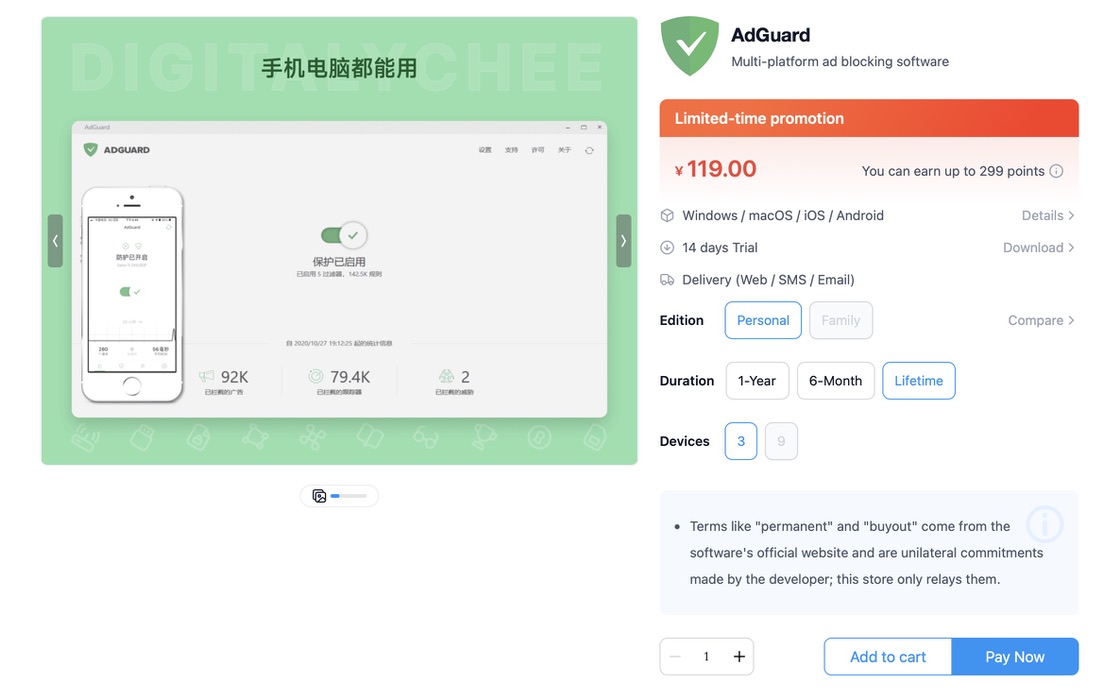
Once you have found what you want, click Add to Cart or Pay Now to proceed to checkout.
Step 3: Checkout and Payment
DIGITALYCHEE supports three payment methods:
- WeChat Pay — requires a WeChat account with a linked payment method
- Alipay — requires an Alipay account
- Stripe — the best option for international users, as it accepts international credit and debit cards
Select Stripe, and the price will automatically convert from CNY to USD. Before you enter your card details, look for the Promo Code field and enter PCALL to get an additional 5 percent off.
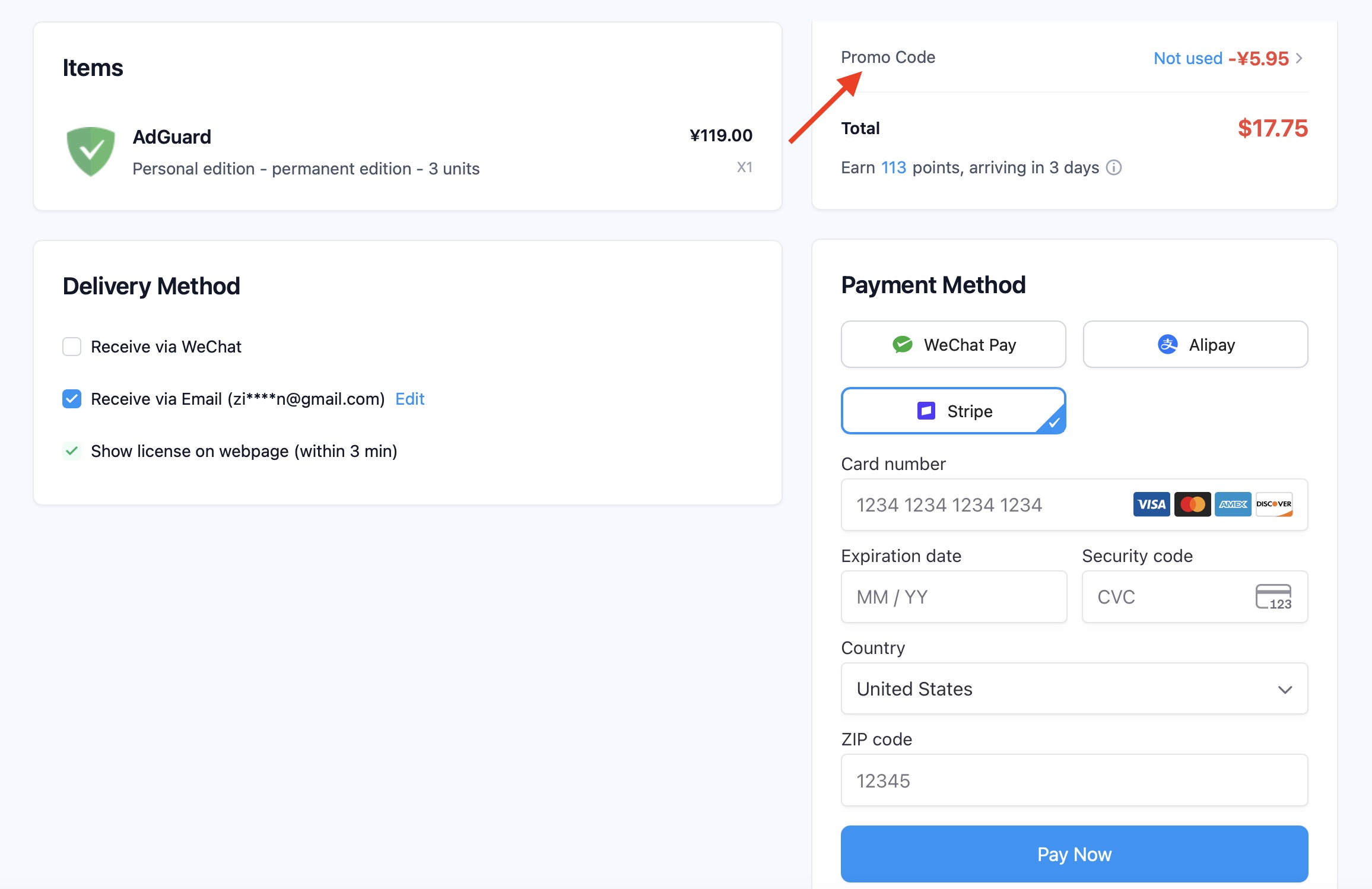
After applying the code, enter your card information and complete the payment. You will receive your license key and activation instructions via email, usually within minutes.
My Honest Take
I have been using DIGITALYCHEE for several years now. The website is clean and straightforward, the service is reliable, and the discounts on genuine software are substantial enough that I genuinely feel good about every purchase. In a world where subscription fatigue is real, being able to buy a lifetime license at a fraction of the official price feels like a small victory.
The downsides are real but minor. The English translation is incomplete in places — some buttons and labels remain in Chinese. Product page prices stay in CNY, so you need to do your own currency conversion or wait for the Stripe checkout to see the USD figure. Neither of these is a dealbreaker, just something to be aware of going in.
If you are looking to buy apps or software and want to stop paying full price, DIGITALYCHEE is absolutely worth trying. And whatever you do, do not forget to use the code PCALL at checkout.
Disclosure: This article contains affiliate links and a promo code. I may earn a commission if you purchase through these links, at no additional cost to you. The opinions expressed are based on my personal experience as a DIGITALYCHEE customer. Prices mentioned were accurate at the time of writing and may change.