Most users enable Face ID on their iPhones. When the phone is raised, the iPhone’s infrared camera begins to work, recognizes the user’s face, and unlocks the device. However, there are times when we may prefer to unlock the iPhone solely through a passcode.
You might wonder, “Face ID is so convenient, why would anyone want to use only a passcode?”
In reality, there are extreme situations, such as being coerced or controlled, where Face ID unlocks the device too easily, even passively. Therefore, the need for passcode unlocking remains relevant.
In this article, we will discuss two scenarios: one for temporarily disabling Face ID unlock and the other for permanently disabling it.
Temporarily force to unlock with a passcode
Imagine a situation where your iPhone is about to be stolen, and you are worried about the data and associated funds being misused. At this moment, there is no time to go into the phone settings to disable Face ID. How can we quickly force the iPhone to disable Face ID and allow unlocking only through a passcode?
We can utilize the iPhone’s Emergency Mode. In this mode, options are available to power off the device, display the Medical ID card, or make an emergency call. However, we don’t necessarily need to use these functions—just use the mode to lock the iPhone.
The steps are as follows:
- Press and hold the iPhone’s volume button (either volume up or down) and the power button simultaneously to enter Emergency Mode.
- Tap the “Cancel” button to exit Emergency Mode.
- The iPhone will return to the lock screen, and to unlock it, you will need to use the passcode instead of Face ID.
Permanently disable Face ID unlock
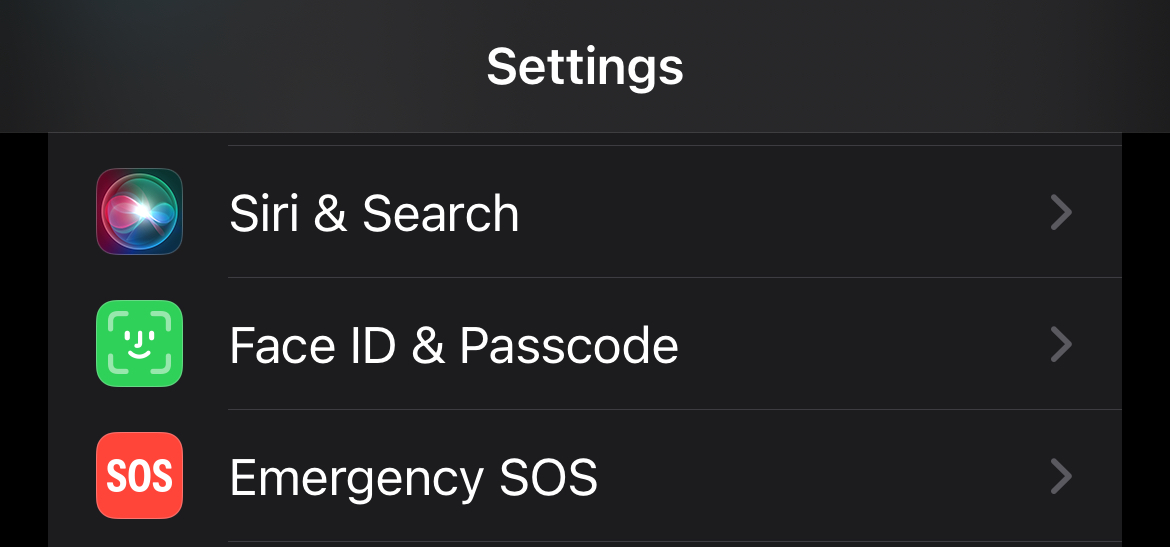
There is no need to do any tricks to permanently disable Face ID unlock. Just go to the iOS settings and turn it off. The steps are as follows:
- Open Settings, select Face ID and Passcode:
- Toggle off iPhone Unlock option:
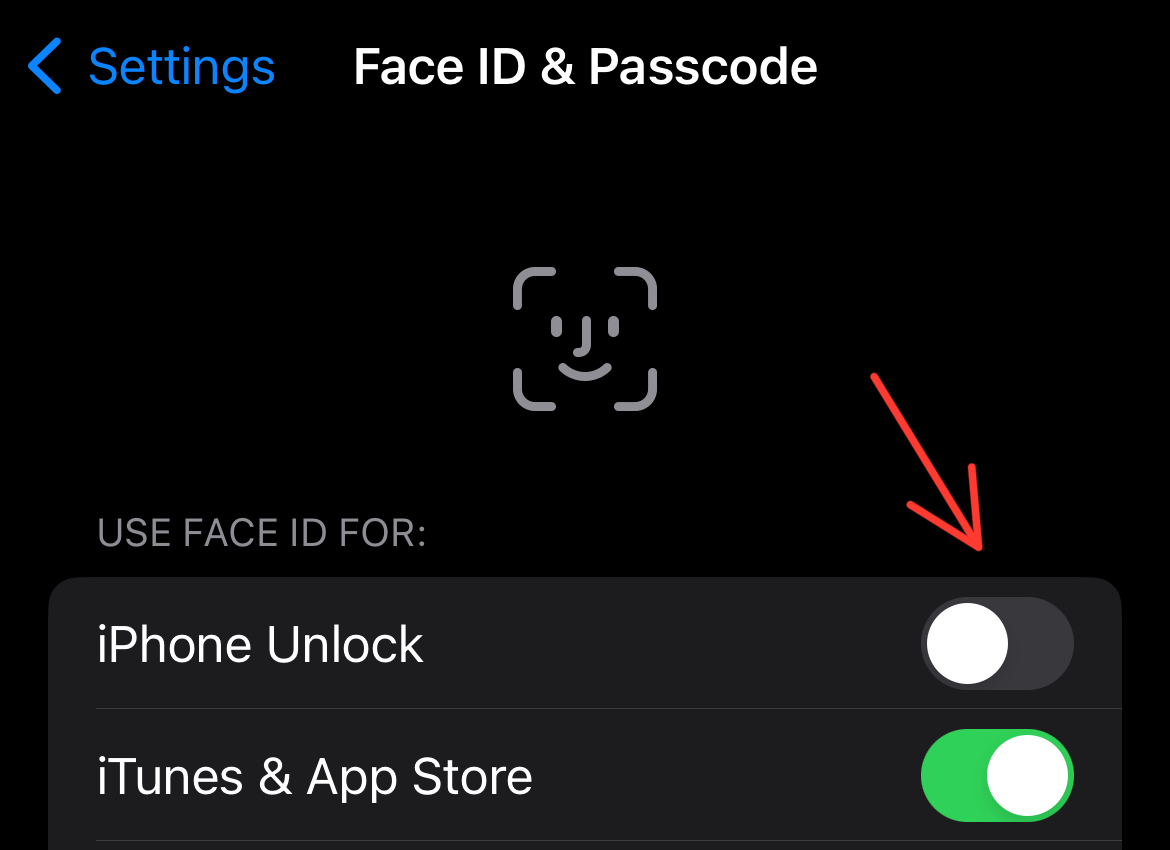
Once done, you’ll have to enter your iPhone’s passcode every time you unlock.
Normally, we all use Face ID. In what situations do you think you must turn it off and use a password to unlock? Share your thoughts with everyone!
