How to Sign Up Meta Muse From Anywhere in About 10 Minutes (2026)
Meta Muse is US/Canada-only. Use a cloud browser to register from anywhere in about 10 minutes — the exact method, plus what won't work.

- Louis
- 6 min read
- Affiliate Disclosure
Short answer: you need a US or Canada browser session, not just a VPN
Meta’s Muse went live on September 8, 2026 and hit 2.5 million downloads in 13 days — faster than ChatGPT managed. It’s a personal AI agent that actually runs errands for you: it books, buys, fills forms, and keeps working after you close the app. There’s just one problem. If you’re not in the United States or Canada, the signup page drops you onto a waitlist and that’s where it ends.
The region gate checks your browser environment, not just your IP. That’s why a plain VPN gets you nowhere — I’ll come back to this. What does work is running the signup inside a cloud browser that sits in the US or Canada. Budget about 10 minutes and a Visa or Mastercard, and you’re in.
Where Muse actually works right now
| Region | Available since | Notes |
|---|---|---|
| United States | Sept 8, 2026 | iOS, Android, web (muse.ai), WhatsApp |
| Canada | Sept 18, 2026 | iOS + web first; Android “coming soon” |
| UK / EU | Not announced | GDPR compliance expected to make this slow |
| Everywhere else | Not announced | No public waitlist date either |
Two weeks from one country to two is quick by Meta standards — Meta AI took more than a year to cross the Atlantic, and Muse handles email and payments, which regulators care about a lot more. If you’re in Europe, don’t hold your breath for an official launch. That’s exactly why the workaround below matters.
What you need before starting
- An email address — a clean one that hasn’t already joined the Muse waitlist.
- A Visa or Mastercard — for age verification. Muse puts a $1 temporary hold on it and refunds it. International cards work fine.
- A cloud browser account — details next.
That’s the whole list. No US phone number, no US Apple ID.
The signup method, step by step
The idea is simple: Muse checks whether you’re browsing from a supported country. So do the signup from a browser that genuinely lives there.
Step 1 — Launch a cloud browser
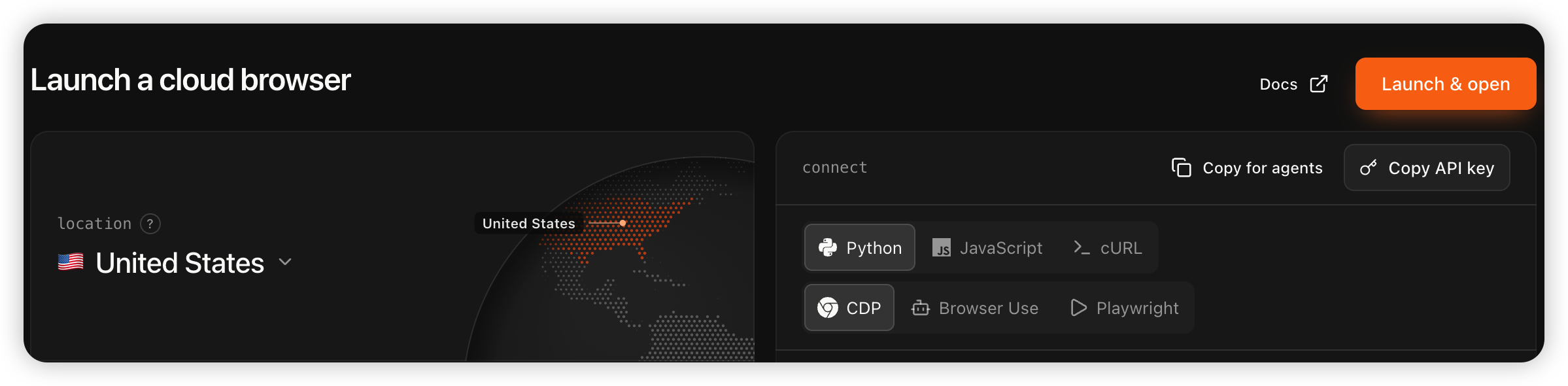
Go to cloud.browser-use.com/browser and sign in with Google, GitHub, or Microsoft. New accounts get free credits, which is enough for this. Click Launch & Open and you get a browser session running on US infrastructure — pick a US or Canada region if it asks. Since September 18, either works.
Alternatives if browser-use doesn’t suit you:
| Option | Requirement | Notes |
|---|---|---|
| Browser-use cloud browser | Free account | The default choice |
| Gemini Spark remote browser | Paid Gemini plan | Ask it to “open muse.ai/join”, then click Take Over Task |
| Airtap / Hyperbrowser / Lexmount | Free account | Same idea, different vendors |
Step 2 — Register at muse.ai
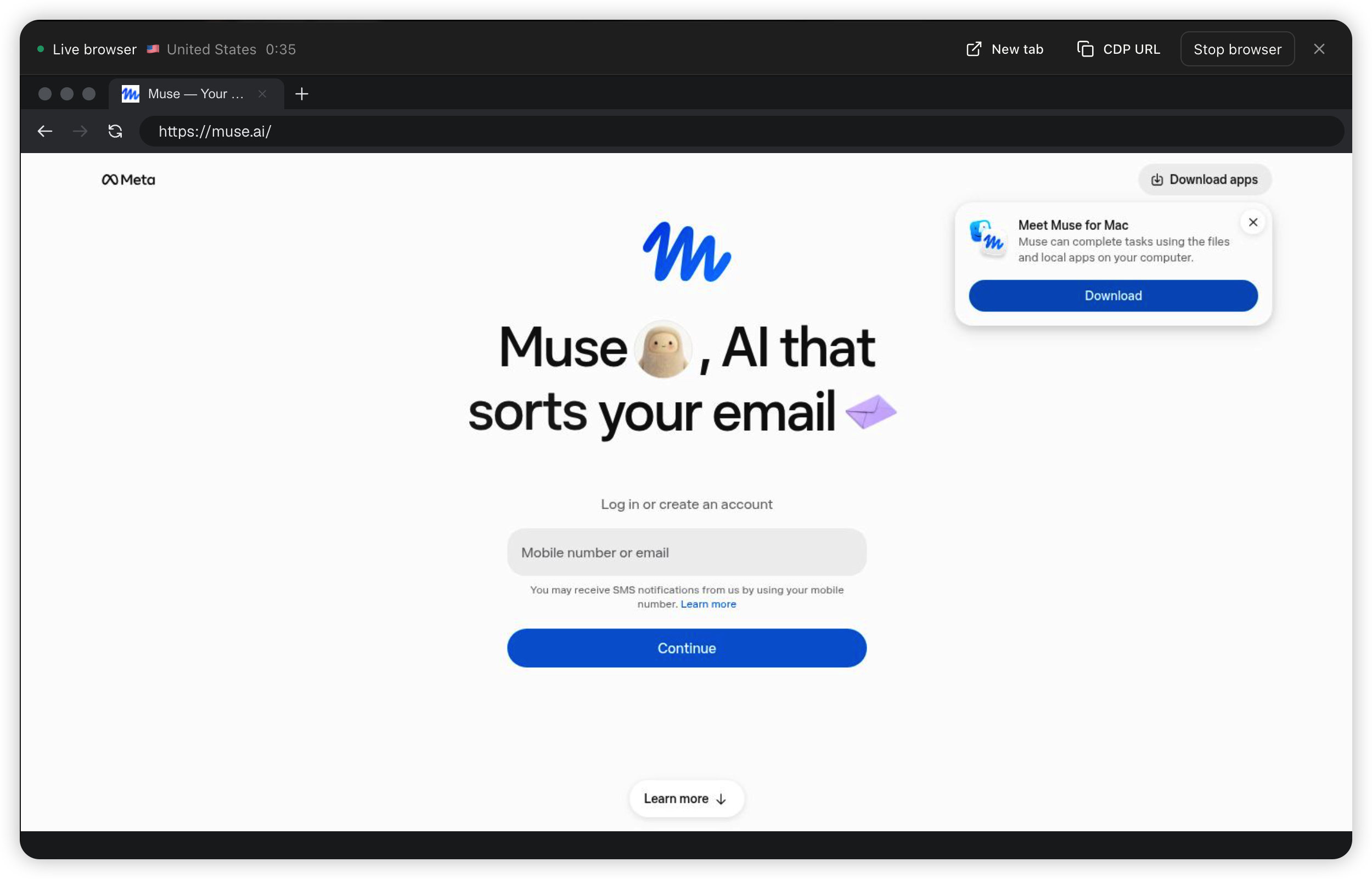
Inside the cloud browser, open muse.ai. Enter your email, grab the verification code from your inbox, and fill in your details. Use your real name and birth date — this feeds into age verification later, and mismatches cause problems.
Step 3 — Pass the age check
Muse asks to confirm you’re 18+. Choose Confirm age (the card option), not the Facebook or Instagram shortcut — more on why below. Then:
- Set Country/Region to United States (or Canada).
- Enter any US ZIP code — tax-free states are a popular pick: 97211 (OR), 99801 (AK), 19702 (DE).
- Enter your real card number, expiry, and CVV.
Meta places a $1 temporary charge to verify the card and releases it. If your card has international payments locked, unlock it for a minute, then retry. When you see a redirect ending in status=success, you’re done — the chat interface loads and you have a Muse account.
What won’t work (save yourself the time)
A VPN alone. This is the big one. The waitlist decision is based on your browser environment, not just your IP address. People report signing up over a US VPN and still landing on the waitlist. The cloud browser works because it’s an actual US/Canada machine, not a masked connection.
Binding Facebook or Instagram instead of a card. Sometimes it skips the age check — and sometimes it flags you as a non-US user and drops you on the waitlist anyway, apparently based on where your social account is registered. Recent reports say the Facebook path has become unreliable. The card route is boring but dependable.
Reusing an email that’s already on the waitlist. Start clean. If your only inbox is tainted, register a fresh one first.
Signing up and then immediately switching back. Your account survives, but Meta’s risk controls are still evolving — keeping a US/Canada IP while you actually use Muse is the safe play for now.
Need a VPN? Try ExpressVPN or NordVPN.
After you’re in: the free tier and the token bonus
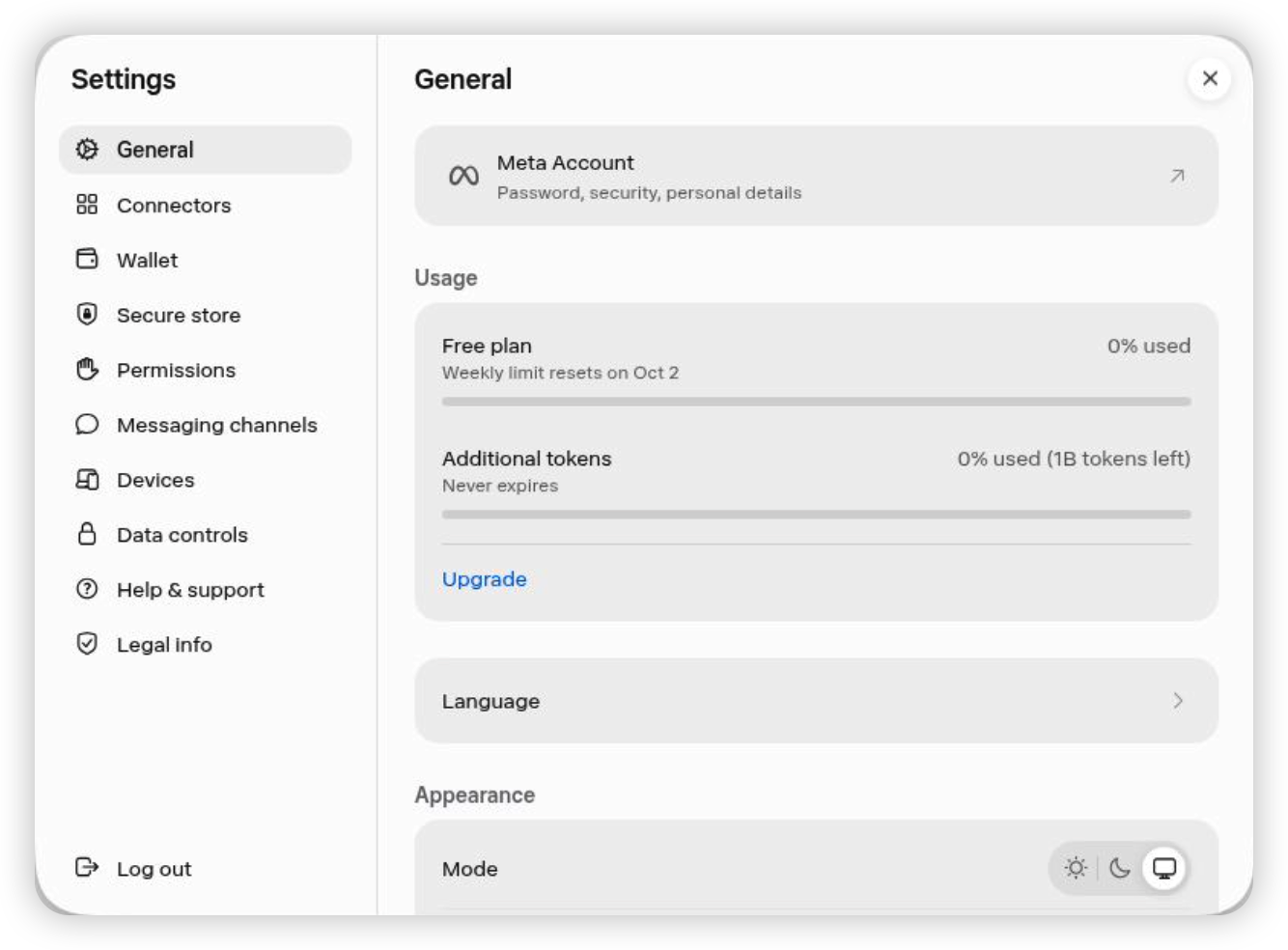
Muse is free with a usage meter — roughly 100 million tokens per week on the free tier, with Power ($20/mo) and Maximum ($100/mo) on top if you lean on it hard. Even the free tier keeps a payment card on file, since the agent’s whole point is making purchases for you.
One thing to do right away: Muse has a referral system. In Settings → Redeem referral code, enter any valid invite code(you may use our code: ICSNND) within 48 hours of signing up and both sides get 1 billion bonus tokens. Miss the window and it’s gone.
FAQ
Is Muse available in the UK or Europe? No. As of late September 2026 it’s US and Canada only, with no announced date for either. Given the GDPR review an email- and payments-capable agent needs, expect a wait measured in months at best.
Does the $1 charge ever become real? No — it’s a temporary verification hold that gets released. Watch for it appearing and disappearing on your card statement within a few days.
Do I need the cloud browser every time I use Muse? Only for signup. After that, the account itself works from regular browsers. Keeping a US/Canada IP during use is the cautious option while Meta’s checks are young, but it’s not the same hard requirement as registration.
Will this method keep working? Honestly — unknown. It’s a workaround for a region gate, and Meta adjusts its risk controls over time. The Facebook-binding shortcut already degraded within weeks. If the cloud-browser path breaks too, this article’s job is done and Meta has probably launched somewhere new.
The bottom line
Muse is the first consumer AI agent that actually does things instead of talking about them, and Meta is rolling it out one country at a time — US first, Canada two weeks later, everyone else waiting on regulators. If you’re outside North America, the cloud-browser signup takes about 10 minutes and gets you in today.
Two honest caveats: you’re working around a region gate that can tighten at any time, and an agent with access to your email and a payment card deserves a careful start. Give it one low-stakes task — booking a table, say — before you let it anywhere near your wallet.
