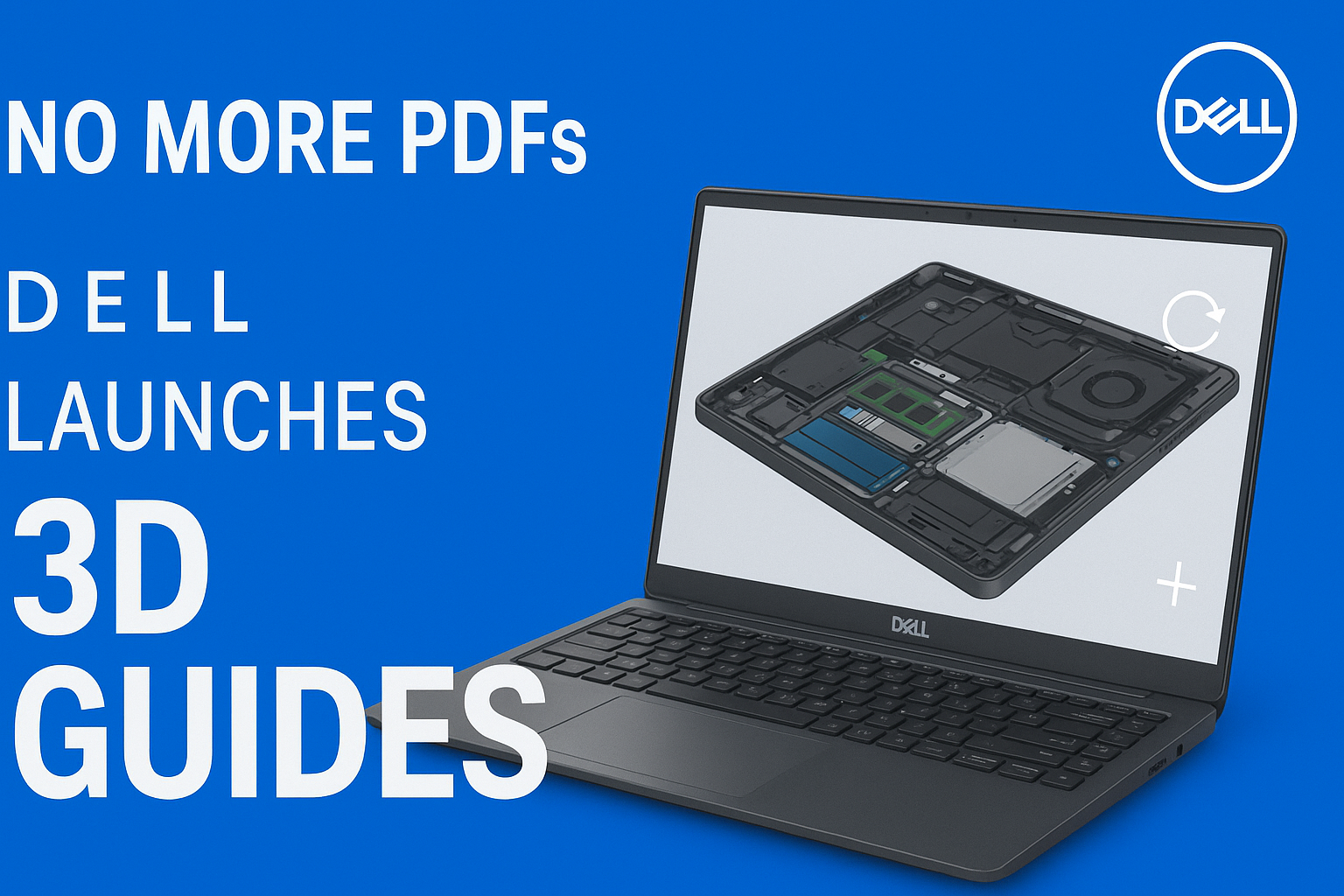
Dell has introduced a new feature called 3D Guides on its official support website, aiming to make device disassembly and maintenance easier and more intuitive for users.
Instead of relying on traditional PDF manuals filled with static images, Dell now offers interactive 3D models that allow users to rotate, zoom, and explore internal components step by step.
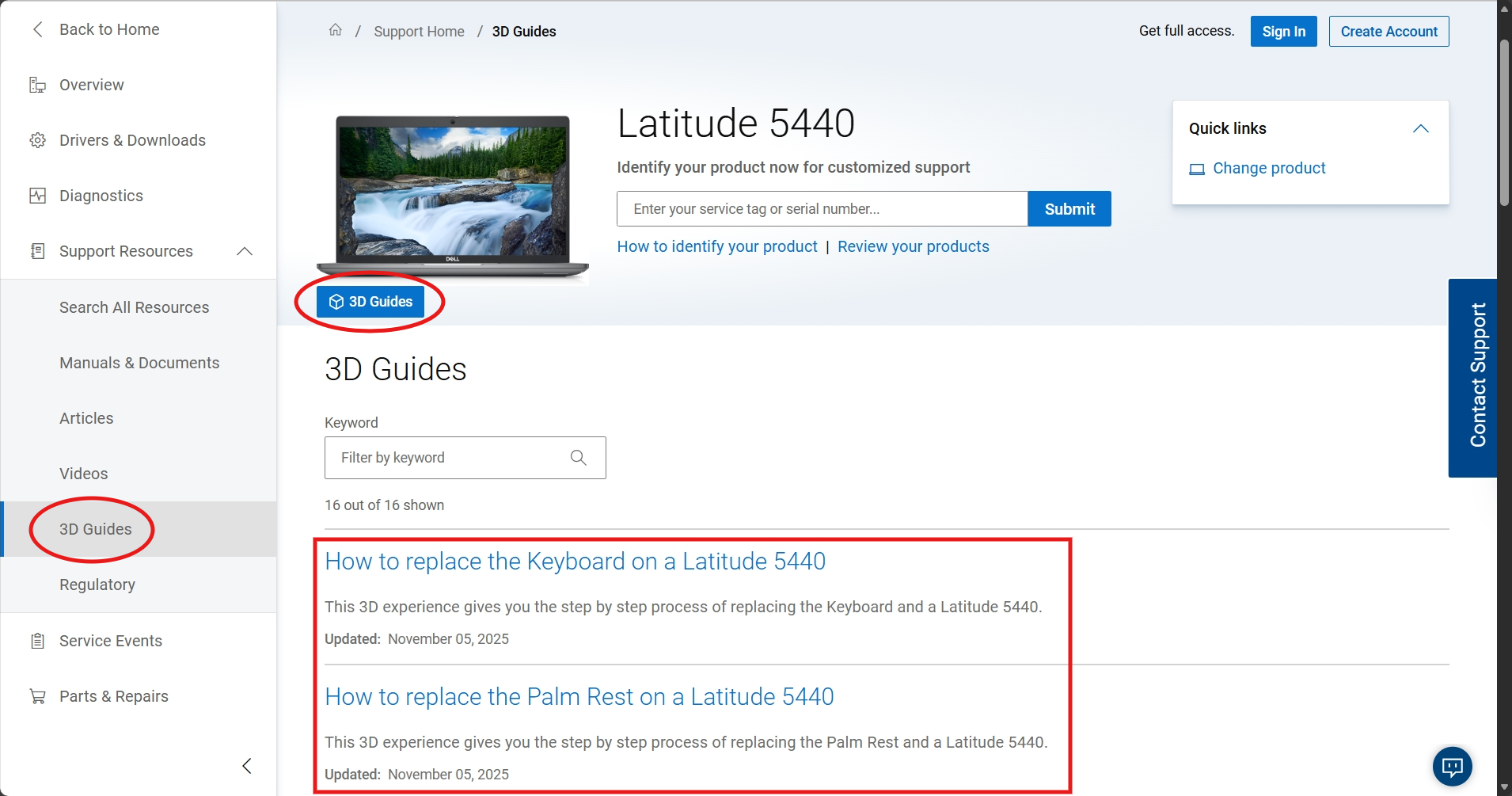
You can access the 3D Guides through Dell Support. Latitude 5440, for example, provides 2 entries whithin the product support page:
- A 3D Guides button under model picture.
- The menu in the left sidebar.
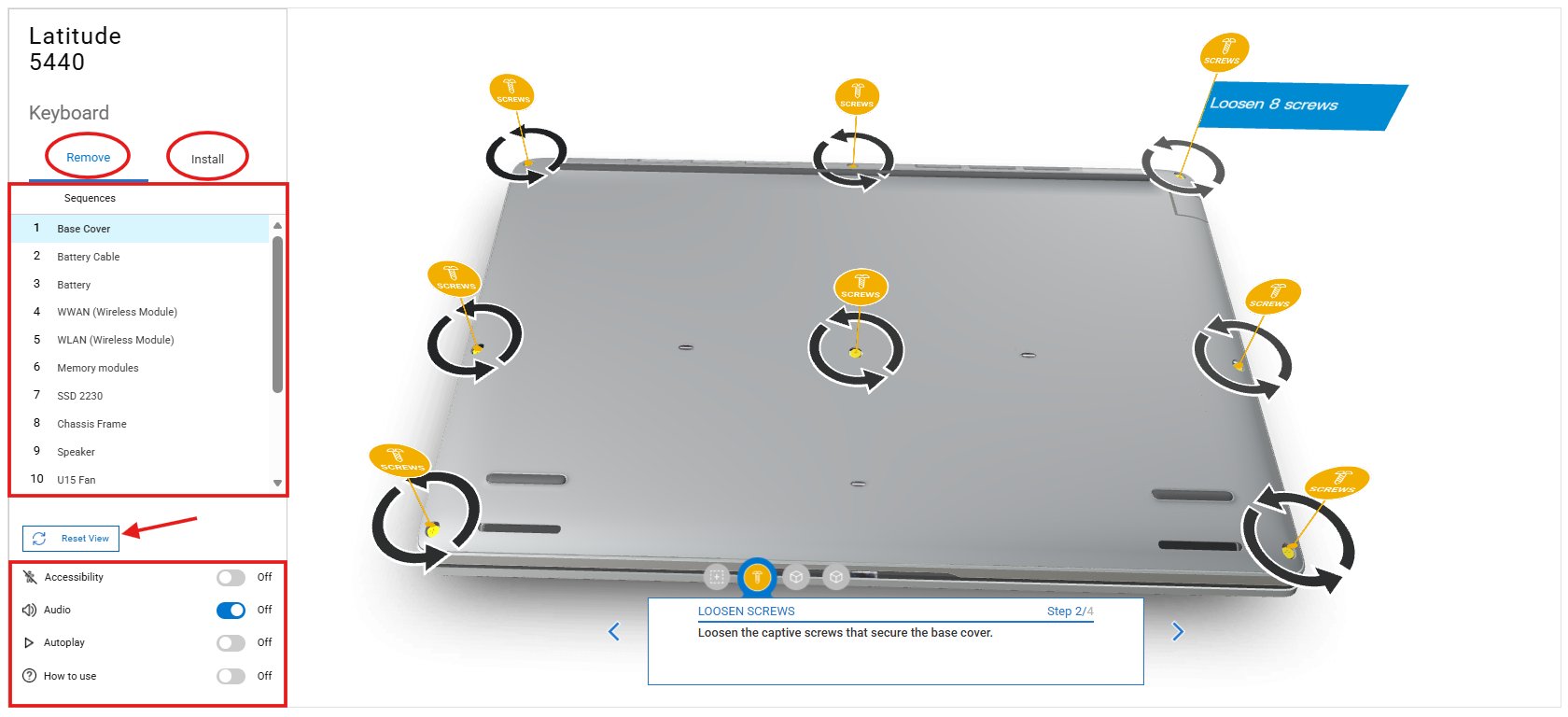
The 3D Guides are designed to visually walk users through disassembly & assembly procedures, showing how components are positioned and how parts relate to each other.
Options are listed in the left sidebar. You can select either Remove or Install a part. Steps are numbered and labeled under Sequence. And you can also turn on or off the Audio and Autoplay feature as you wish.
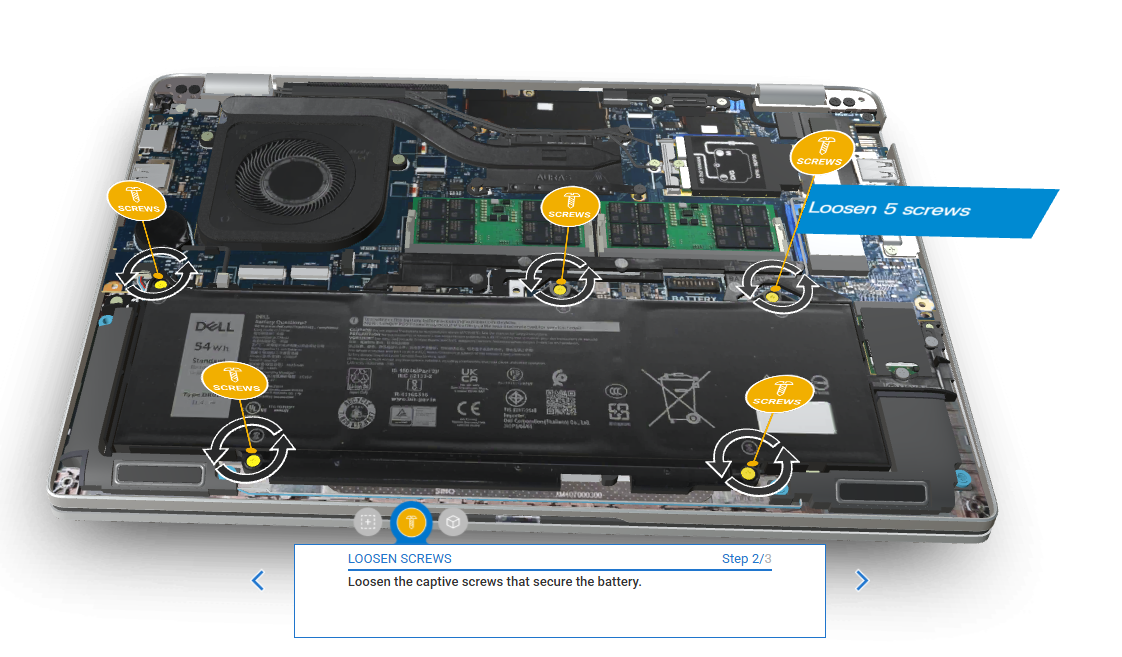
Users can freely manipulate the model in their web browser, making it easier to understand complex layouts that are often difficult to interpret from flat diagrams.
For example, how many screws do you need to remove before removing the battery? The 3D Guides marks all of them, so you won’t miss any screws and cause damage to the device.
According to Dell, this approach helps reduce ambiguity during repairs and minimizes the risk of incorrect disassembly. For users attempting basic maintenance tasks such as replacing storage, memory, or cooling components, the 3D Guides provide clearer spatial context than traditional documentation.
You know that there are many different configurations, even in a single model. Dell’s 3D Guides can help you identify the right configuration for your device, and show you corresponding solutions:
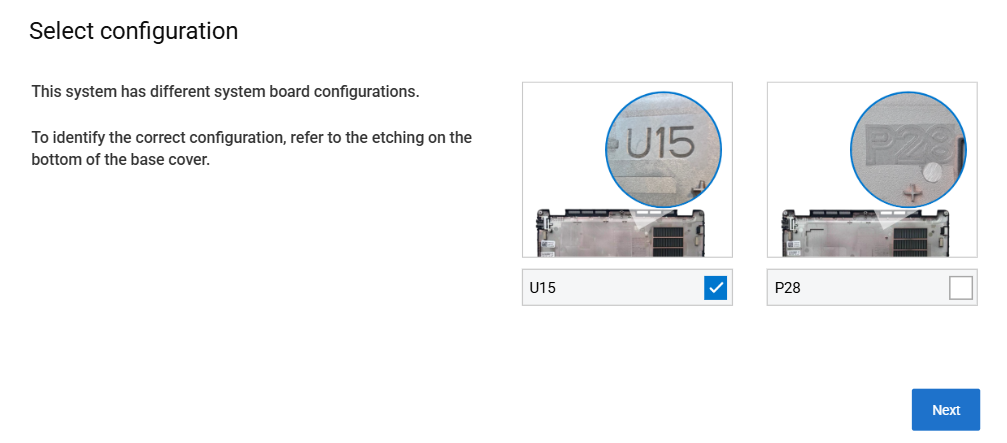
Importantly, Dell’s implementation is fully web-based and does not require special software, mobile apps, or augmented reality hardware. This makes the feature accessible across platforms, including desktop and mobile browsers.
In fact, this isn’t the first time that Dell uses 3D WebGL technology. The launch of 3D Guides reflects a broader trend in the industry toward interactive support documentation.
As hardware designs become increasingly compact and complex, static manuals are no longer sufficient for many users. Interactive 3D visualization bridges the gap between professional service manuals and consumer-friendly instructions.