One day, I was writing a blog in front of my computer, and suddenly I remembered that I needed to send an important package in half an hour.
Since the software I use most on my computer is the browser, I realized that it was quite troublesome to create a countdown on the computer, so I decided to make an online countdown timer myself so that I don’t have to leave the browser.
After a few works, I’ve launched this tool, and you can try here: Eazy Countdown - Simple Timer App
The features
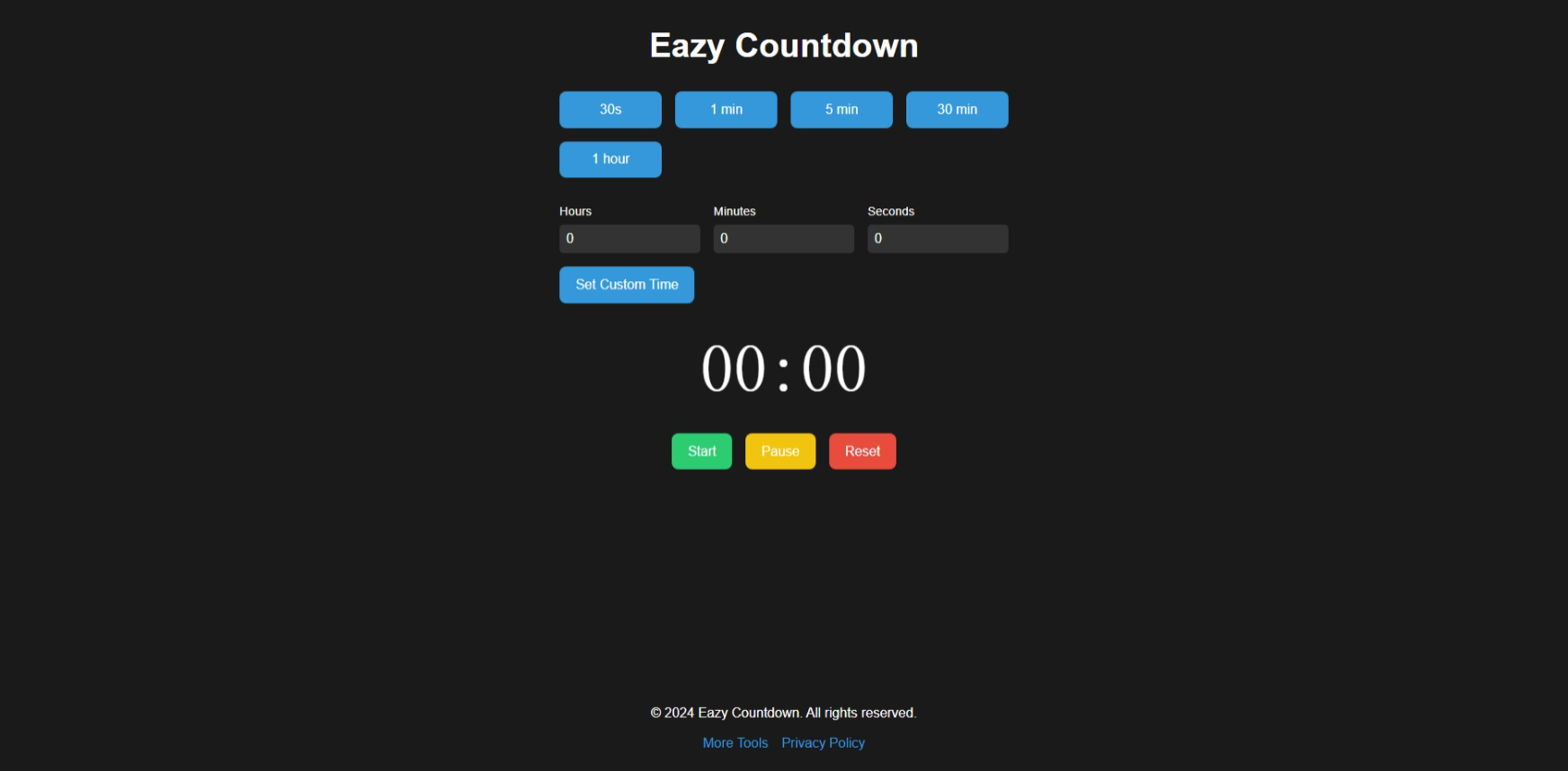
Eazy Countdown does only one thing: count down. Therefore, the whole interface is very simple, without any extra things competing for attention.

Eazy Countdown provides many preset options, but also allows you to set a custom time duration. You can fully control the count down with 3 buttons: Start, Pause and Reset.
Want to use it on a device other than a PC? Don’t worry, Eazy Countdown features a responsive design, ensuring an optimal experience whether you’re on a PC], phone, or tablet. The only problem is that for the purpose of energy saving and permission control, the browsers on mobile phones and tablets cannot guarantee that the screen will remain on during the countdown, or that a reminder sound will be played when the countdown ends - The main usage scenario is PC.
If you need a handy online countdown tool, try Eazy Countdown.
Change logs
- 2024/12/16: Release the first version.
- 2024/12/17: Fixed the issue where the timer stopped due to browser tab hibernation.
- 2024/12/19: Added multi-language support, the default language is English, other languages include French, German, Chinese, Japanese, Spanish, Arabic, Russian. Eazy Countdown will automatically jump to the target language based on the visitor’s country.
